The Data Sets page
You can display a list showing the Data Sets that are available for selection in two ways:
- In the menu bar, click Data > Data Sets to open the Manage Data Sets page.
— or —
- On a Report Data page, select Data Sets in the drop-down list and click Go to open the Choose Data Sets dialog box.
Following is an image of the Manage Data Sets page.
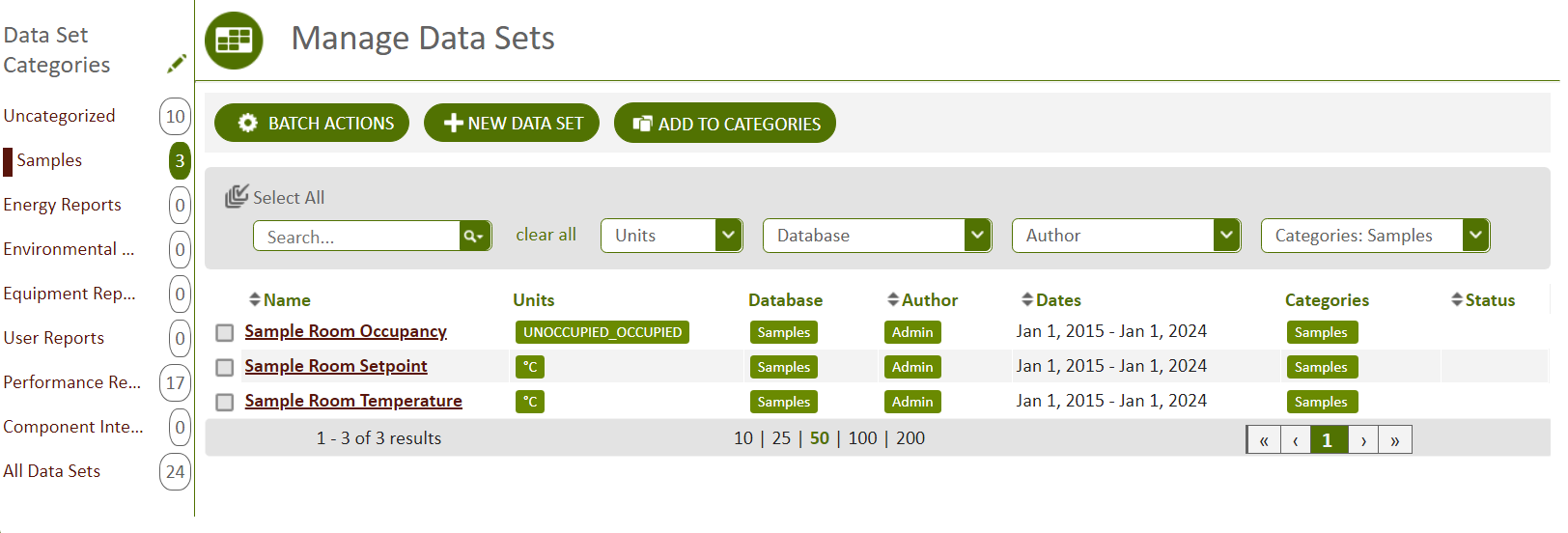
Figure: The Data Sets page showing Data Sets listed in the grid area
The grid on the Manage Data Sets page contains the following columns:
Name
The name of the Data Set.
Units
The units associated with the Data Set based on your selections in the Units filter. The units, if any, were specified in the Unit filter in the Edit Data Set dialog box when the Data Set was created.
Database
The databases associated with the Data Set based on your selections in the Database filter. The databases, if any, were specified in the Database filter in the Edit Data Set dialog box when the Data Set was created.
Author
The user who created the Data Set.
Dates
The date range of points contained in the Data Set.
Updated
The date the Data Set was last modified.
Categories
The categories that have been applied to the Data Set.
Status
The current status of the Data Set. This column is empty if no issues exist with the Data Set.
© 2019 Reliable Controls Corporation. All rights reserved. Published October 29, 2019