Query
The Query column in a component data grid displays the query being applied to the data series. Queries provide the analysis power within RC-Reporter. By default the query requests the "Value" of the data series to be displayed. Click in the Query column to modify the query for the data series. When you create or modify a query, the location of an error in the query is highlighted to assist you in resolving the error.
Queries can be combined using brackets to add, subtract, multiply, divide, and to apply power operators to calculate the results in terms of percentage. The use of brackets are important in defining and limiting the scope of calculations for each expression.
For example, to calculate the percentage of the number of recordings that occur under a specific condition in relation to the total number of recordings during the same sample period, the query is constructed as follows:
(100) * (Count("RmT") Where "OCC" = 1) / (Count("RmT"))
In this case the number of recordings taken when a room is occupied is expressed as a percentage of the total number of recordings taken for the room.
Multiple queries can be combined using the Where clause. For example, the query to calculate the energy cost for a rate that varies by time of day is:
(Delta("kWh")*5 Where TIME < 9:00) + (Delta("kWh")*7 Where TIME >= 9:00)
Use the following steps to modify a query using the Query Editor:
- To edit an existing or new chart component, click the component's Edit
 icon in the banner of the chart component.
 - Click the Edit tab, if not already selected to view chart component's data grid on the Edit Component dialog box.
-
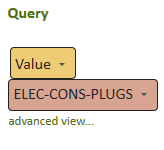
Click in the Query column of a data series row. The default query simply displays the value of a point.
-
Click advanced view. This enlarges the query area and displays the full range of query editor functionality.
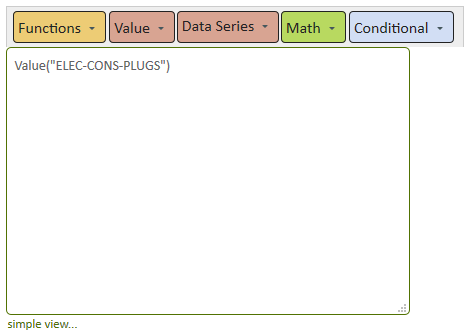
- In the query editor, type your query, or use the following drop-down buttons to choose a query operation:
- Functions
- Value
- Data Series
- Math
- Conditional
- Click outside the query editor box to confirm your changes.
© 2019 Reliable Controls Corporation. All rights reserved. Published October 29, 2019