Component data
The data grid in the Edit Component dialog box is where you work with the data that is compiled into a chart. After adding a chart component to a report, click the component's Edit  icon and then click Edit in the menu. The data grid appears on the Edit tab of the Edit Component dialog box:
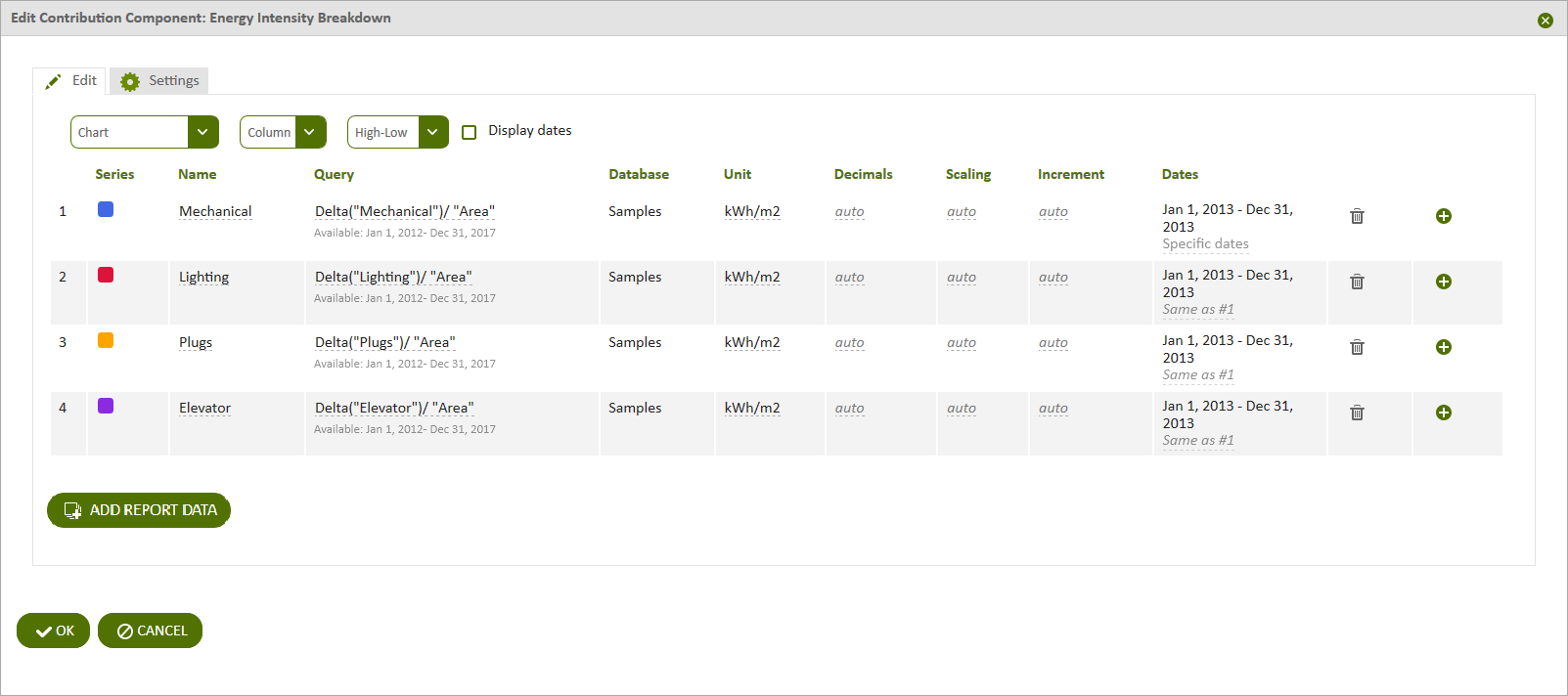
Figure: Columns in the component data grid
A component data grid contains the following columns:
In addition, the two right-most columns provide the following functionality:
- Delete — Click the Delete
 icon to delete the data series. Deleting a component data series does not affect the report data series. It just removes the data series from the component.
 - Duplicate — Click the Add
 icon to duplicate the current row. The new row is added to the bottom of the grid.
Click Add Report Data to display the Report Data dialog box, which lists the data you can add to the report.
© 2019 Reliable Controls Corporation. All rights reserved. Published October 29, 2019