The Manage Distribution Schedules page
Use the Manage Distribution Schedules page to set up the automatic generation and distribution of reports to a list of email recipients.
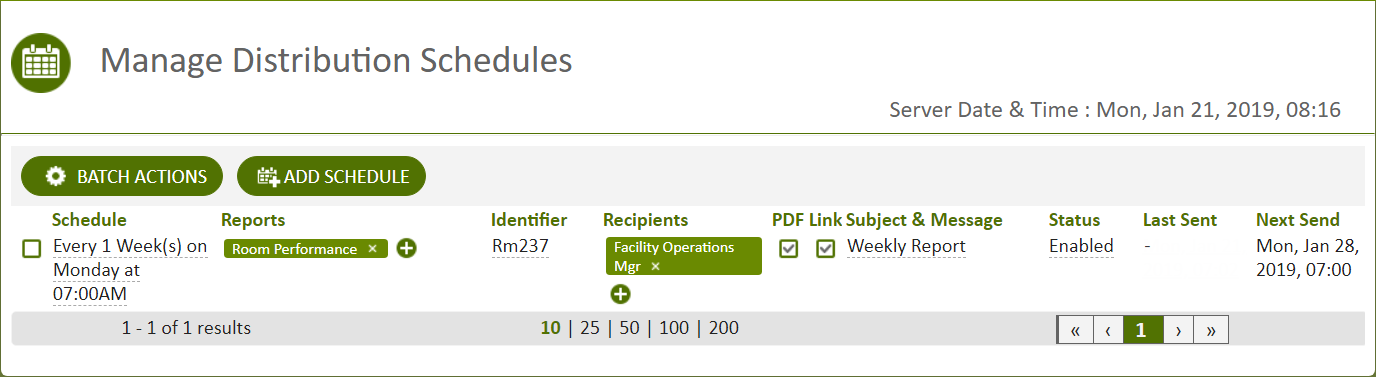
Figure: Manage Distribution Schedules page
Using the Manage Distribution Schedules page, you can:
- Add a schedule.
- Choose the reports to distribute.
- Choose the recipients who will receive the reports.
- Choose the schedule.
- Choose whether to make a link to a report or a downloadable PDF available.
- Toggle between enabling or disabling report distribution by clicking the text in the Status column.
© 2019 Reliable Controls Corporation. All rights reserved. Published October 29, 2019